# Claude Desktop with Keln
Run open models inside Claude Desktop. 2-minute setup, and you can switch back to Anthropic any
time.
## What you need to start
- Claude Desktop for macOS.
- A Keln API key. Sign up at [app.keln.ai](https://app.keln.ai), then open **Keys** →
**Create key**. Keln shows the key once, so copy it now.
- Credit on your Keln account. **Billing** → **Add credit**.
## Connect Claude Desktop to Keln
### 1. Turn on Developer Mode
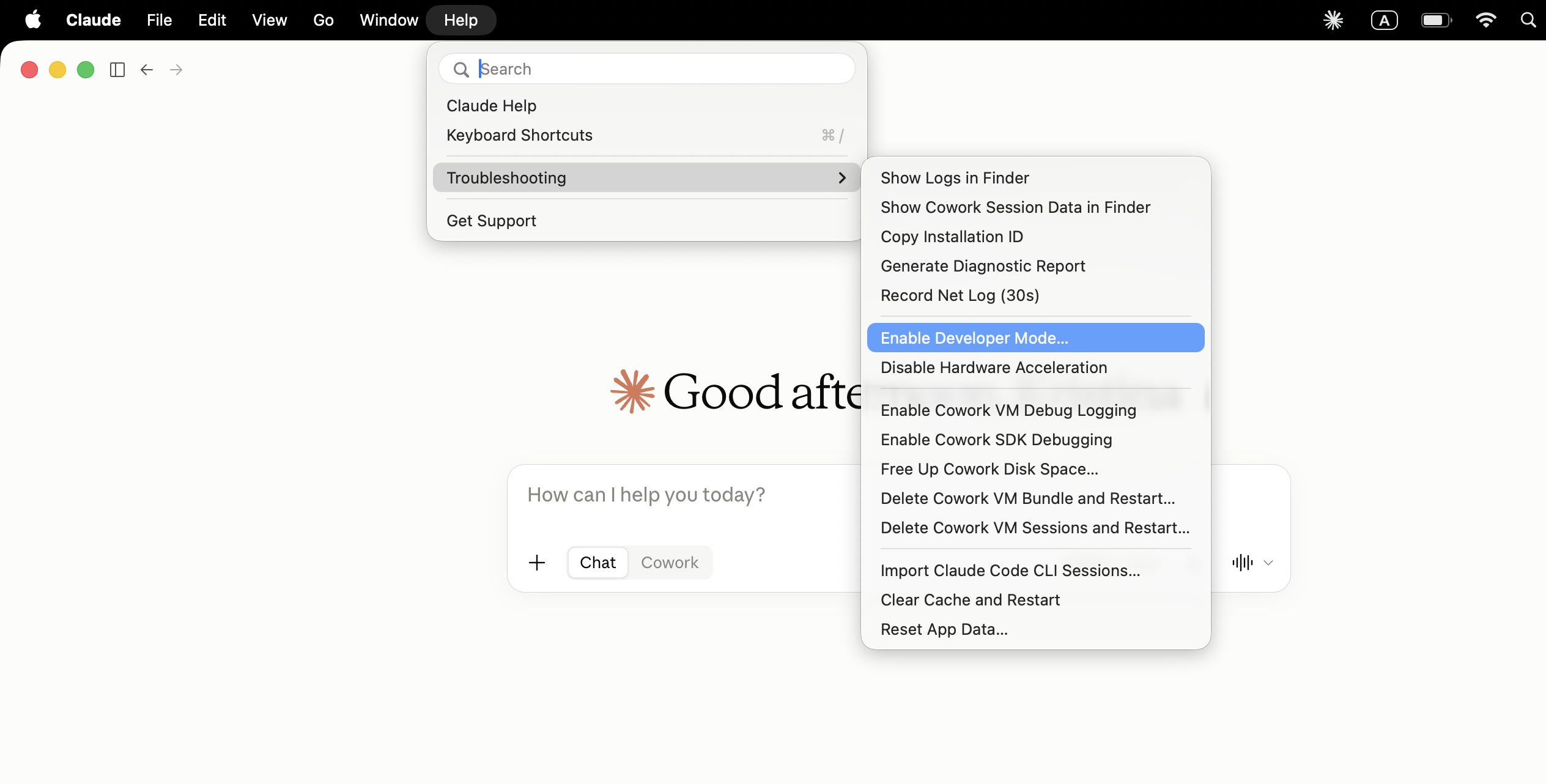
In the menu bar open **Help** → **Troubleshooting** → **Enable Developer Mode…**
<figure class="kd-figure" markdown>
{ loading=lazy }
</figure>
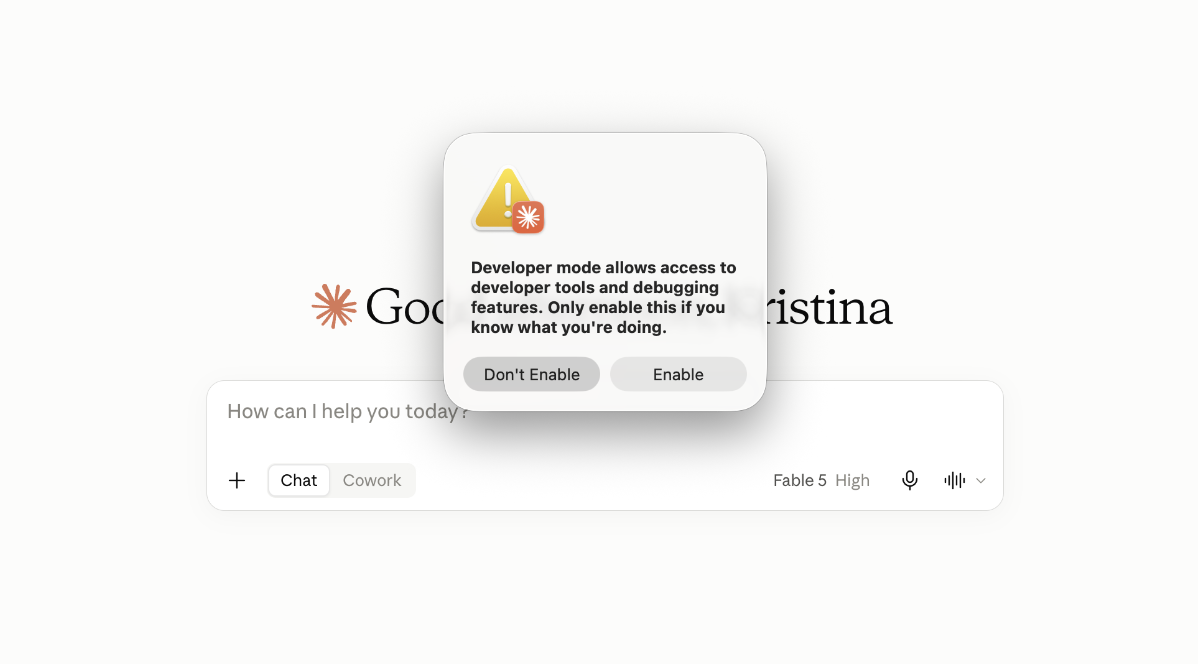
Confirm with **Enable**. Claude restarts and a **Developer** menu appears in the menu bar.
<figure class="kd-figure" markdown>
{ loading=lazy }
</figure>
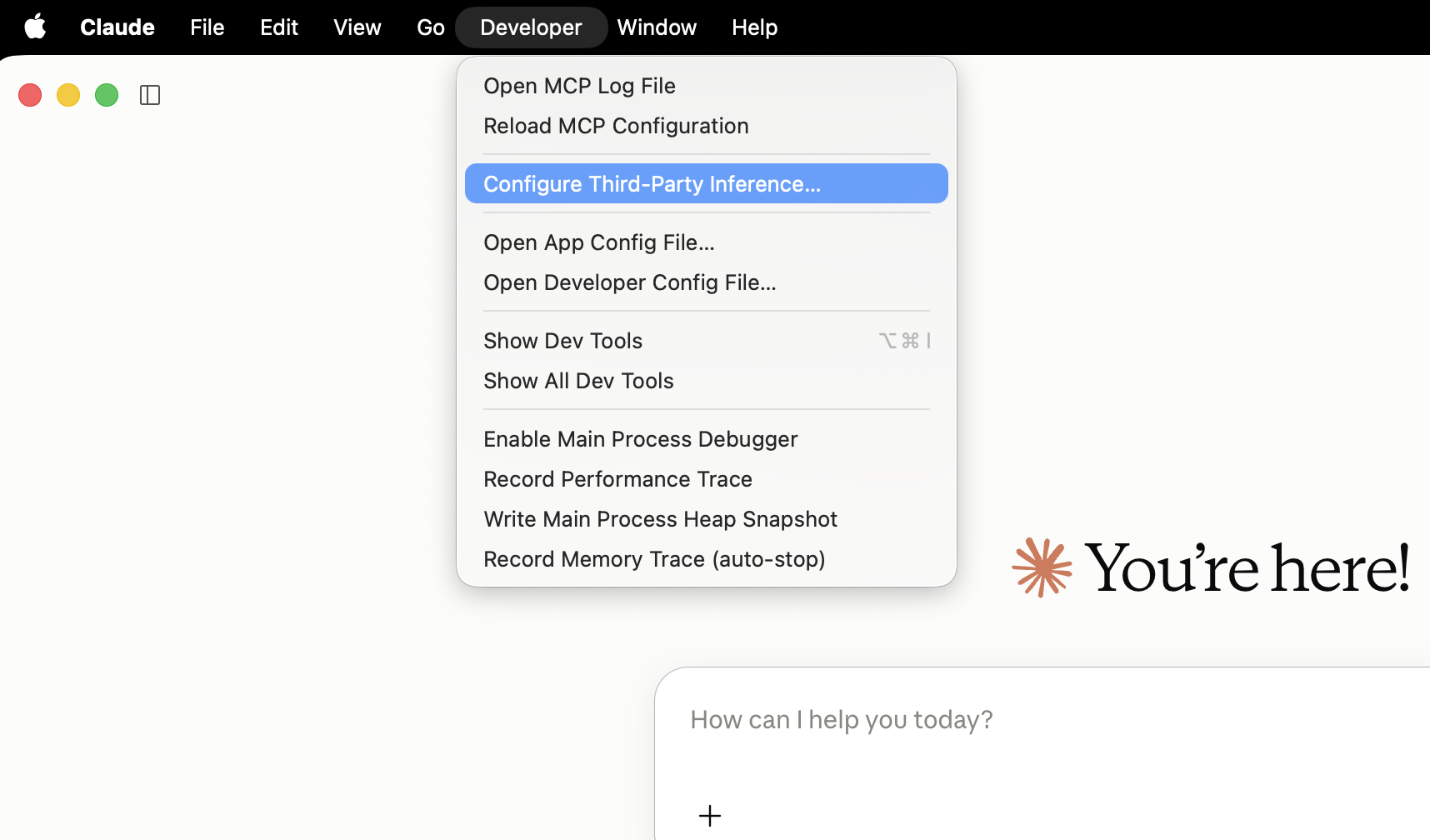
### 2. Open the third-party inference settings
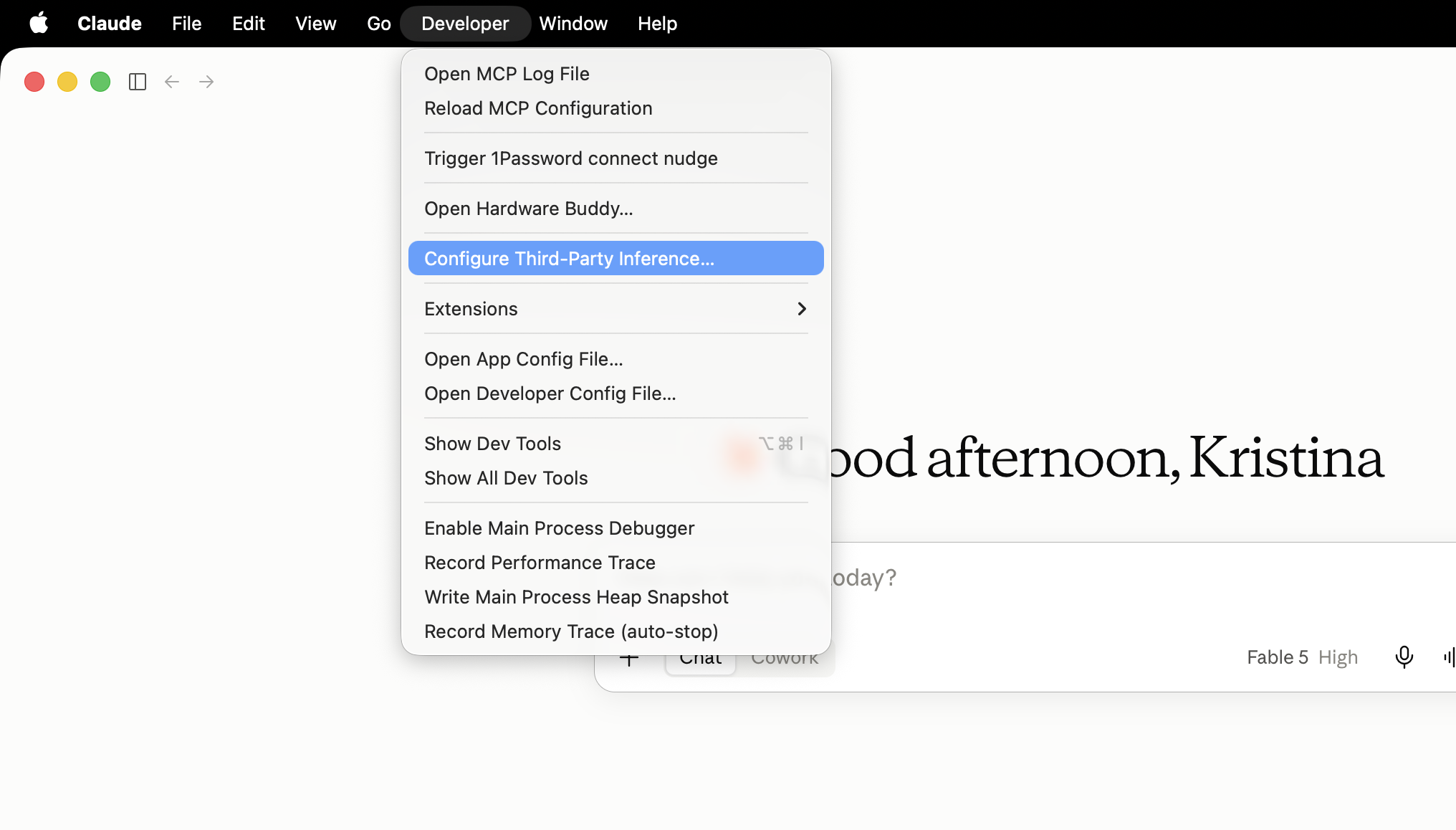
**Developer** → **Configure Third-Party Inference…**
<figure class="kd-figure" markdown>
{ loading=lazy }
</figure>
### 3. Create the Keln configuration
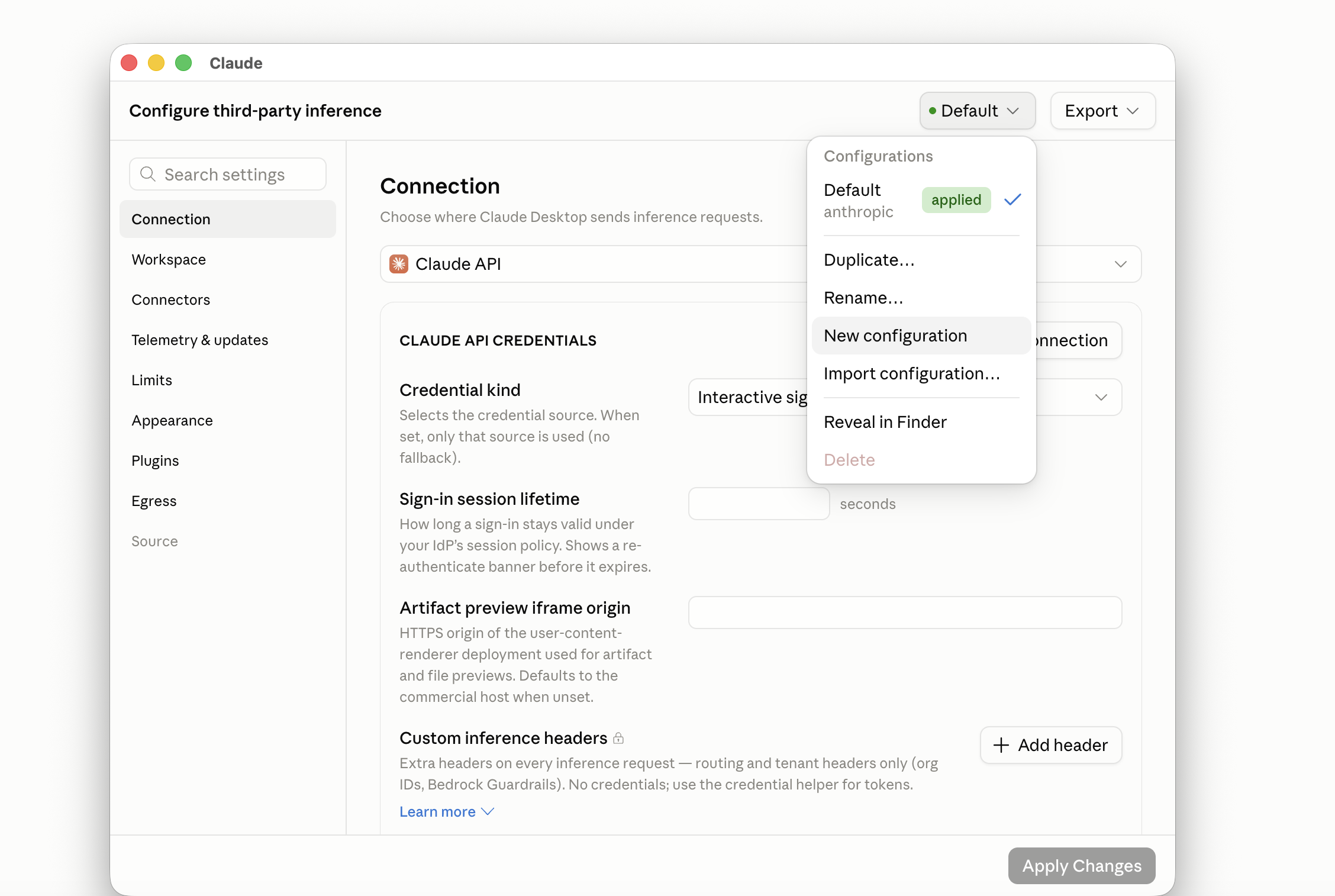
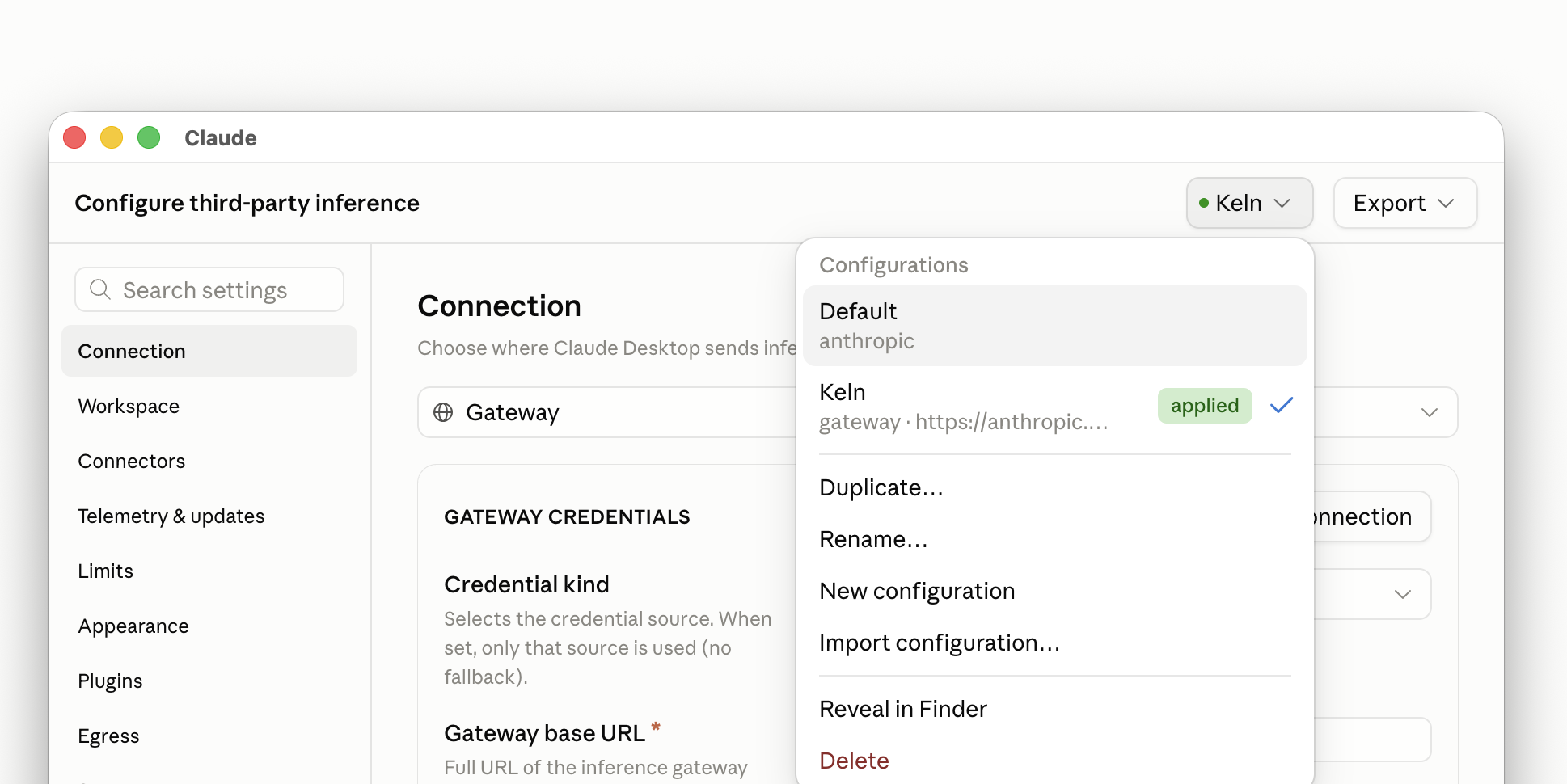
In the setup window, open the configuration menu at the top right (it reads **Default** on a fresh
install) and choose **New configuration**.
<figure class="kd-figure" markdown>
{ loading=lazy }
</figure>
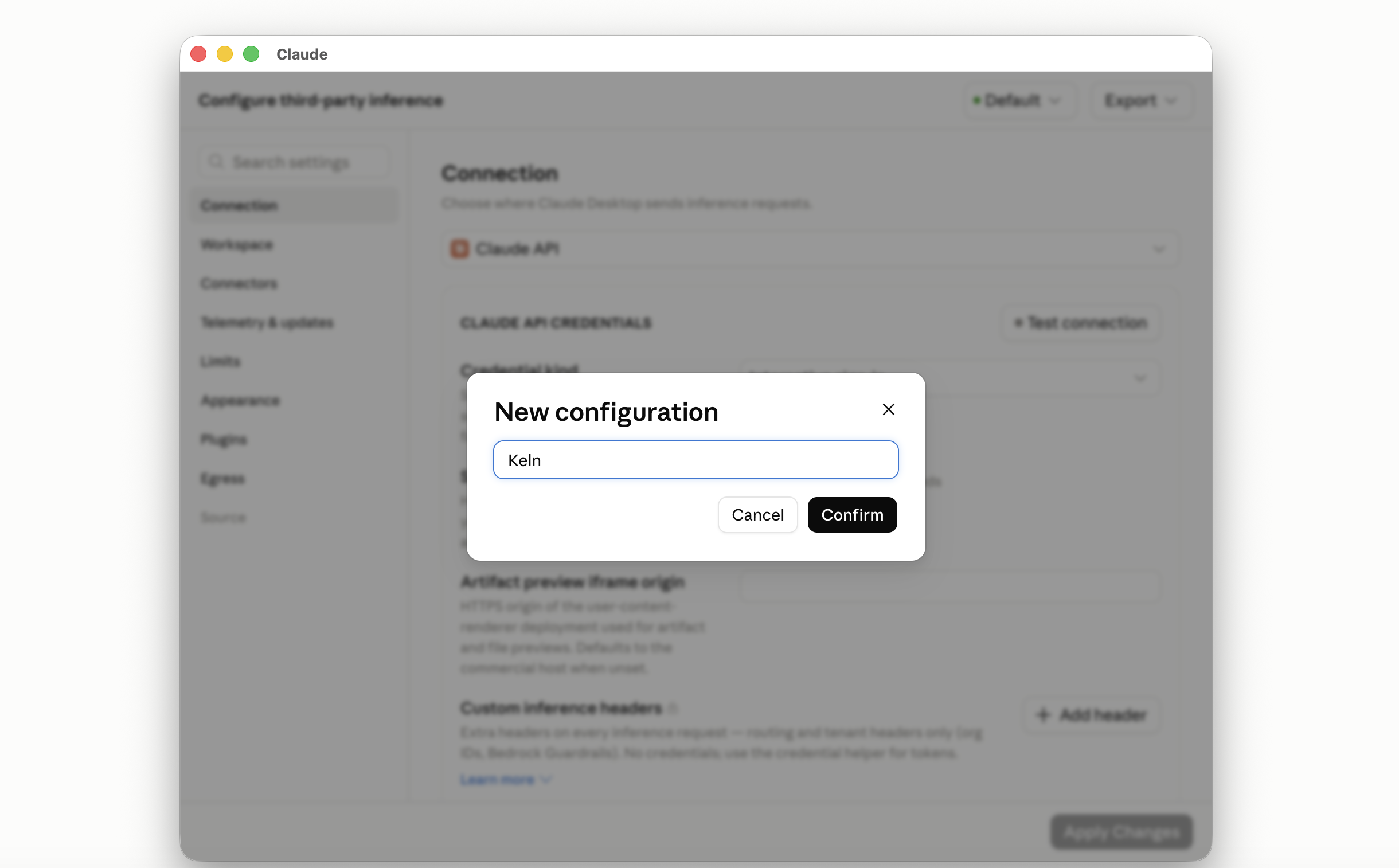
Name it `Keln` and press **Confirm**. The menu now reads **Keln**; **Default** stays as it was, so
you can switch back later.
<figure class="kd-figure" markdown>
{ loading=lazy }
</figure>
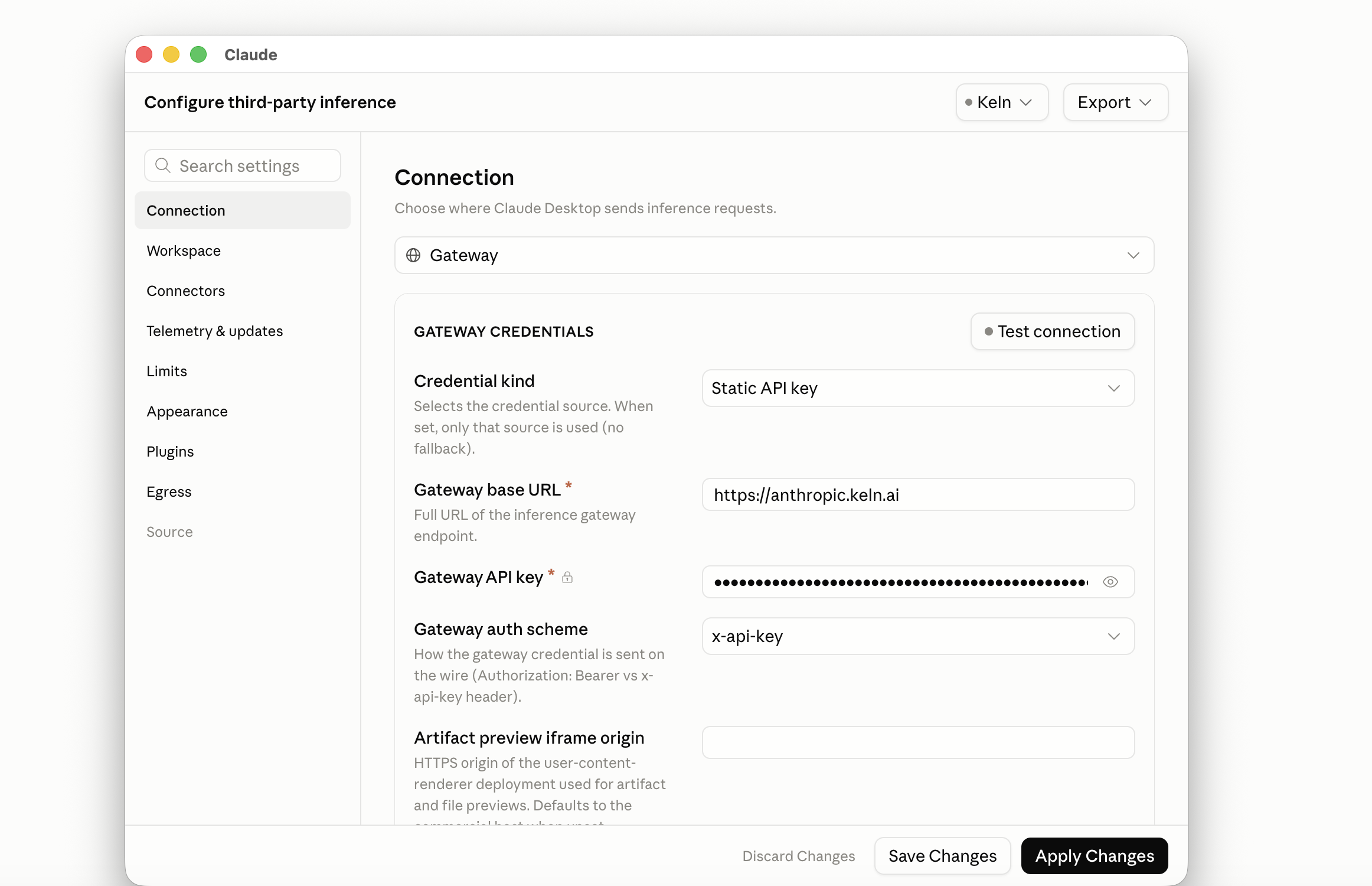
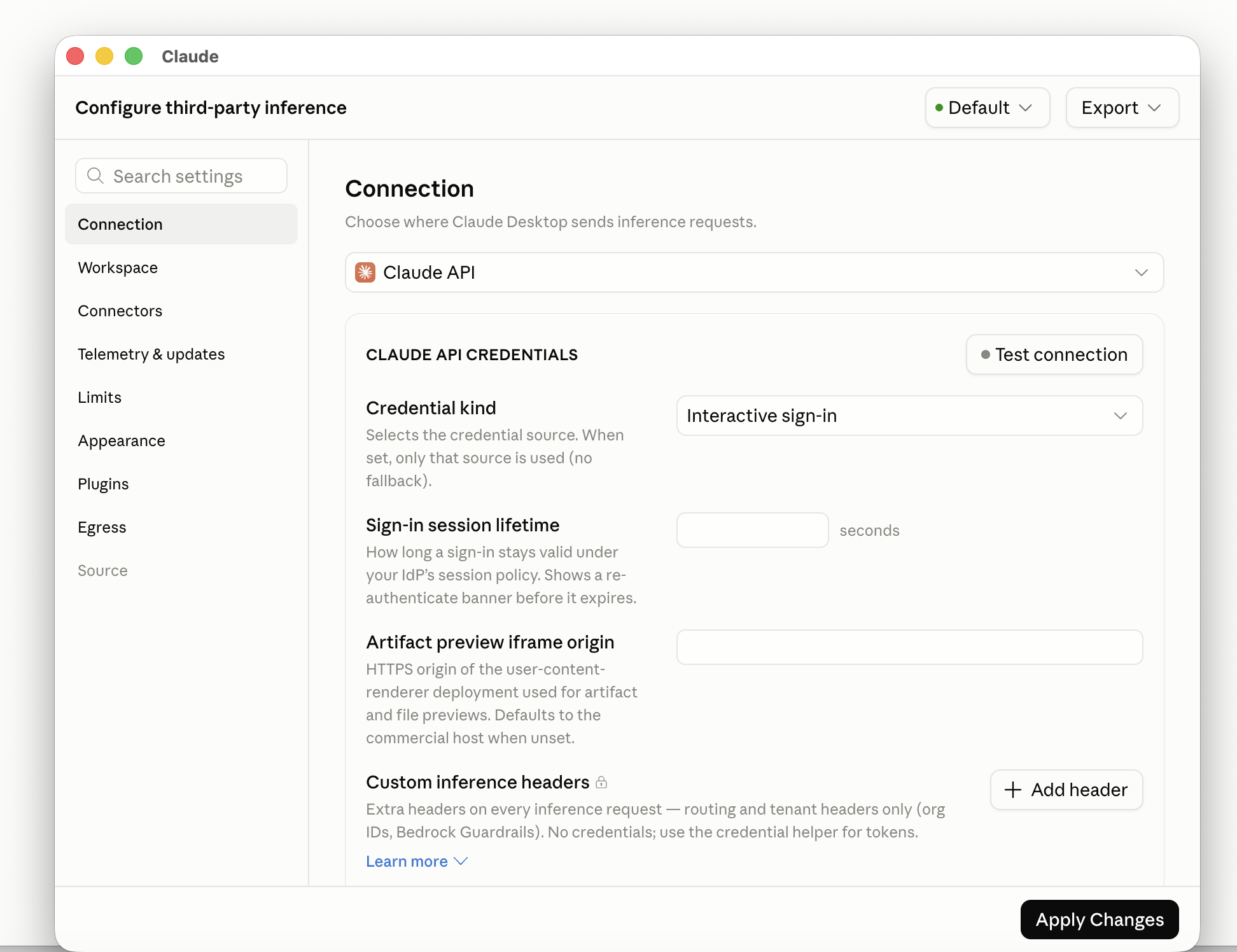
On the **Connection** page, set the provider to **Gateway** and **Credential kind** to
**Static API key**. The key and auth scheme fields appear once you do. Then fill in:
<div class="kd-fields" markdown>
| Field | Value |
|---|---|
| Provider | `Gateway` |
| Credential kind | `Static API key` |
| Gateway base URL | `https://anthropic.keln.ai`{ .kd-val } |
| Gateway API key | `sk-keln-…`{ .kd-key } your key |
| Gateway auth scheme | `x-api-key`{ .kd-val } |
</div>
Leave everything else at its default. **Test connection** is optional; a green result means the key
works.
<figure class="kd-figure" markdown>
{ loading=lazy }
</figure>
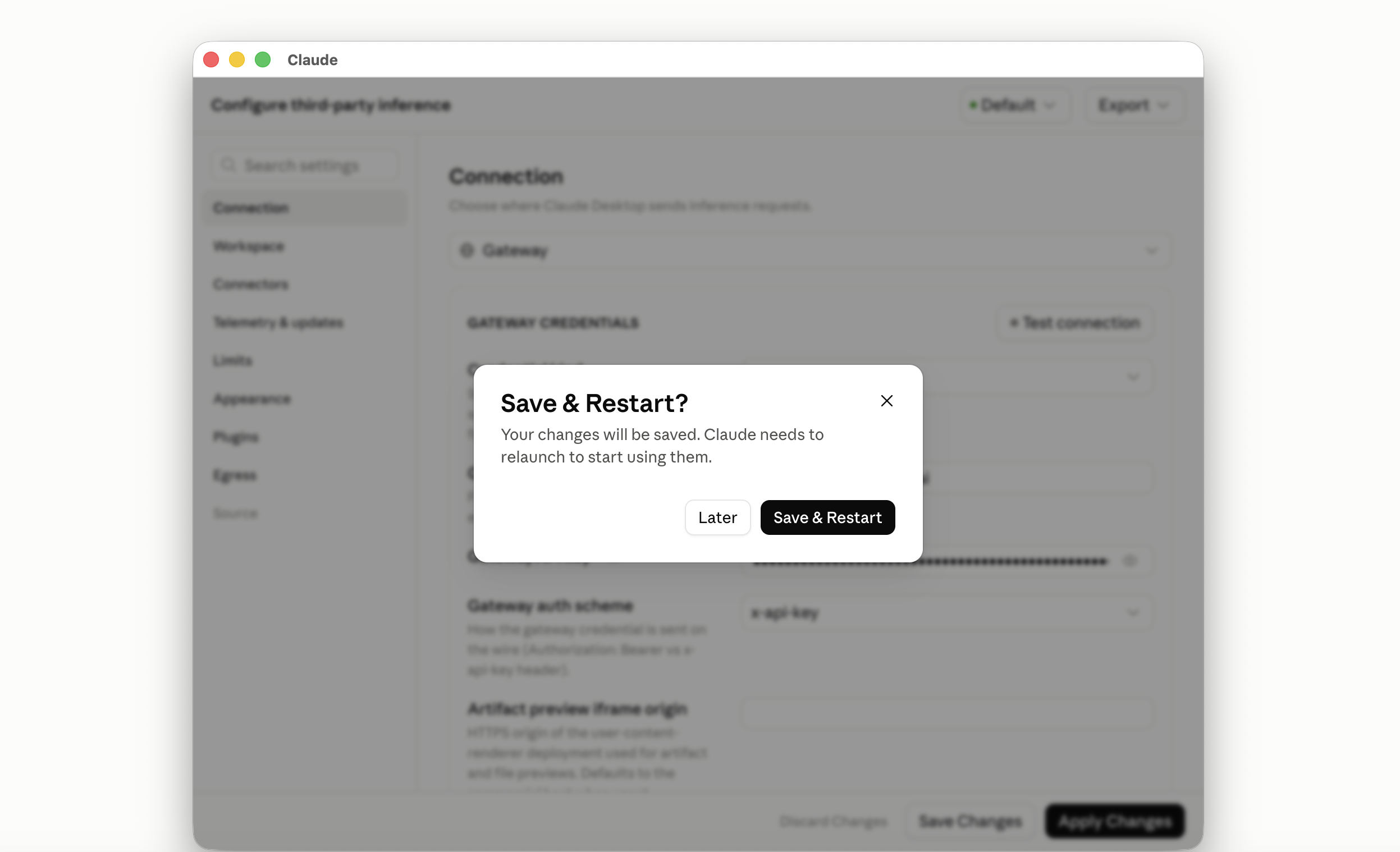
Then **Apply Changes** and confirm with **Save & Restart**; Claude relaunches on Keln.
<figure class="kd-figure" markdown>
{ loading=lazy }
</figure>
### 4. Claude relaunches on Keln
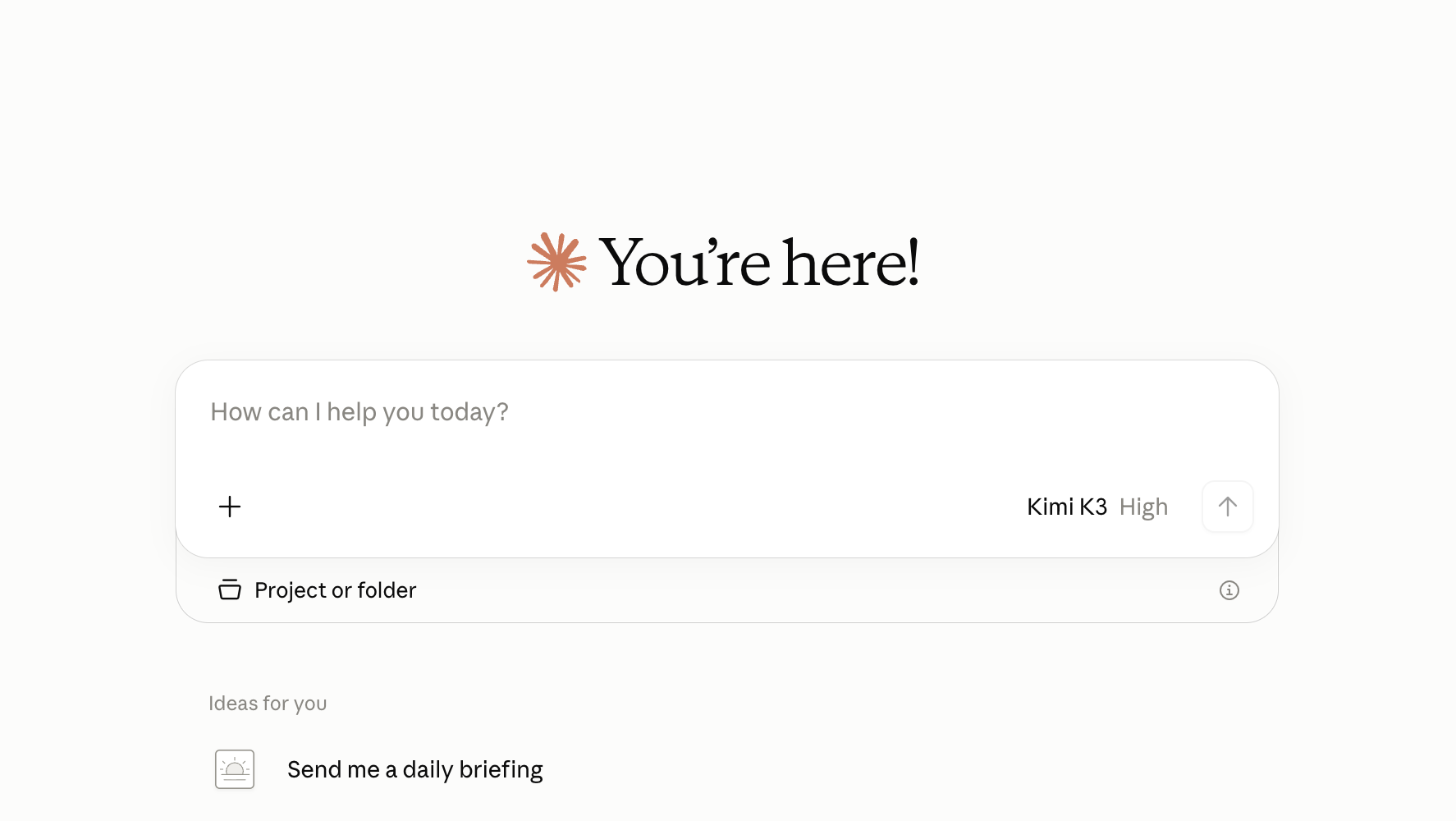
On relaunch you land on the home screen, with no Claude.ai sign-in. The message box shows the
current open model and effort.
<figure class="kd-figure" markdown>
{ loading=lazy }
</figure>
### 5. Pick an open model and effort level
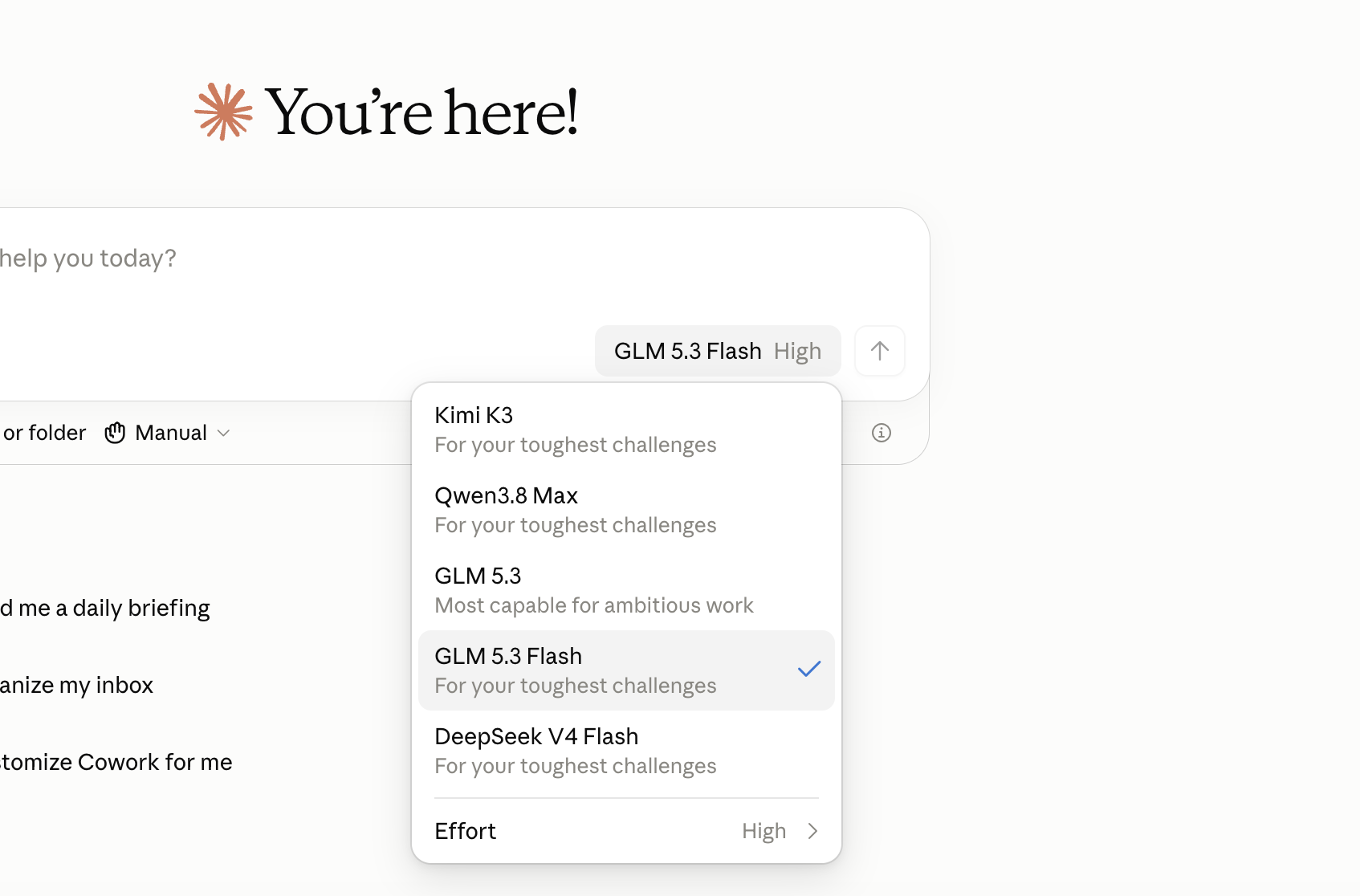
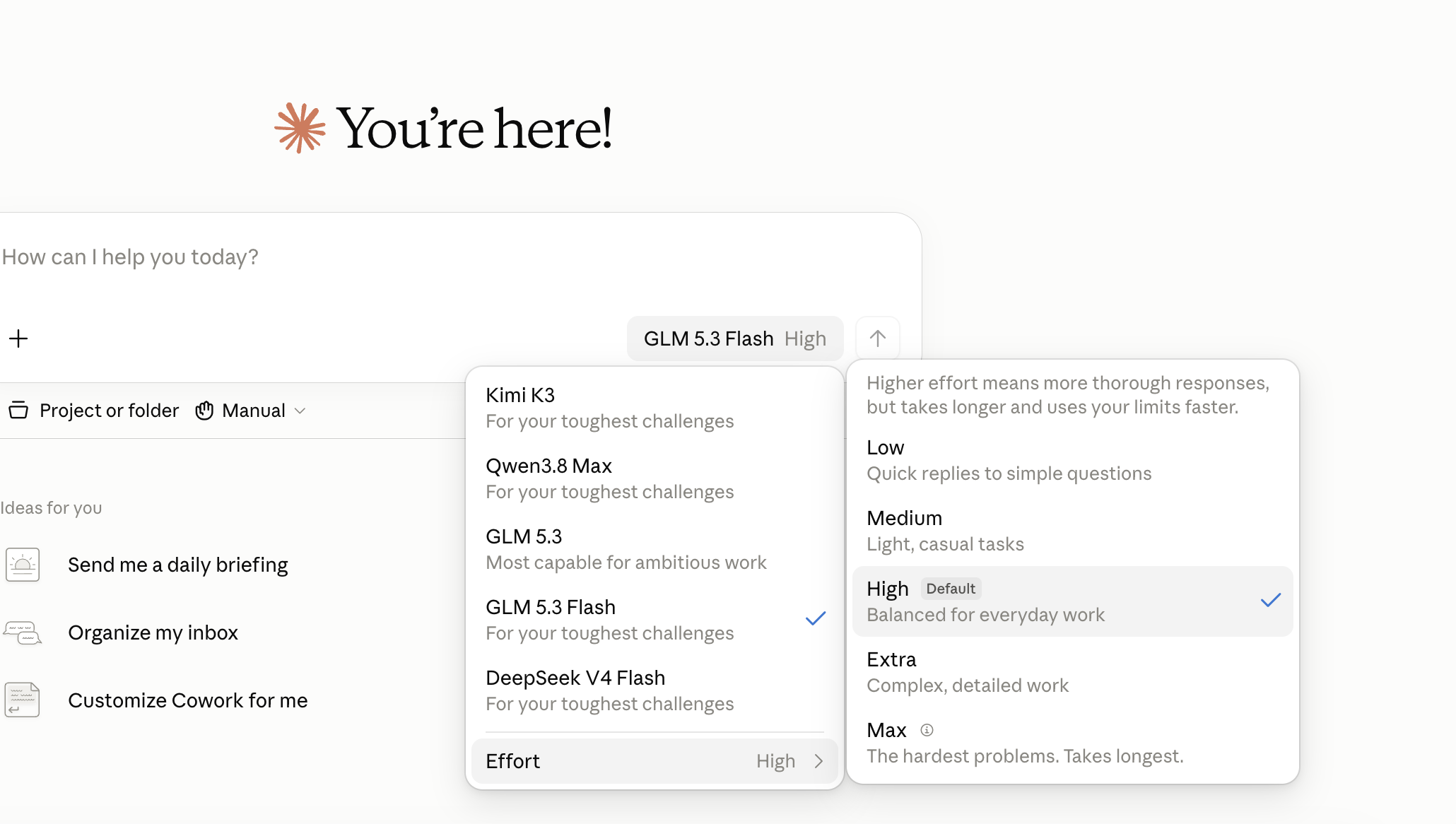
Open the model menu in the message box. The picker lists the Keln models by name, with an
**Effort** submenu below them.
<figure class="kd-figure" markdown>
{ loading=lazy }
</figure>
<figure class="kd-figure" markdown>
{ loading=lazy }
</figure>
## Models and features
| Model | Role | Input |
|---|---|---|
| Kimi K3 | Frontier | text + images |
| Qwen3.8 Max | Frontier | text |
| GLM 5.3 | Frontier | text |
| GLM 5.3 Flash | Flash | text + images |
| DeepSeek V4 Flash | Flash | text |
- **Effort levels.** Low, Medium, High, Extra and Max map to each model's reasoning levels
([table below](#effort-levels)).
- **Web search.** Claude's search runs on Keln, server side, priced per search
([pricing](models-pricing.md#web-search), [details](capabilities/web-search.md)).
- **Zero data retention**, the same privacy contract as the API
([Privacy & zero data retention](capabilities/privacy.md)).
## Effort levels
Keln maps Claude Desktop's five effort levels onto three of each model's reasoning levels, so each
level you pick changes how long the model reasons:
| You pick | Kimi K3 | Qwen3.8 Max | GLM 5.3 | GLM 5.3 Flash | DeepSeek V4 Flash |
|---|---|---|---|---|---|
| Low, Medium | low | low | low | low | low |
| High (default) | high | medium | high | high | high |
| Extra, Max | max | xhigh | max | max | max |
Higher levels reason longer and bill more output tokens. High is the default on every model.
## Switch between Keln and Anthropic
The setup window keeps a list of saved configurations. Apply **Default** to go back to Anthropic;
apply **Keln** to return to Keln. Each apply relaunches the app. You can keep several Keln
configurations, for example one per workspace key.
To go back: open **Developer** → **Configure Third-Party Inference…**, pick **Default** in the
configuration menu at the top right, and press **Apply Changes**.
<figure class="kd-figure" markdown>
{ loading=lazy }
</figure>
<figure class="kd-figure" markdown>
{ loading=lazy }
</figure>
<figure class="kd-figure" markdown>
{ loading=lazy }
</figure>
## Set up a team
To set up several Macs, export the Keln configuration as a macOS configuration profile and
install it on each machine with your MDM. The profile carries the key, so make it from a key meant
for that team.
## FAQ
**Is my data stored?** No. Prompts and completions stream through Keln and are gone when the
response ends. Keln never trains on them. See
[Privacy & zero data retention](capabilities/privacy.md).
**What does it cost?** The per-token price of the model you picked, plus the per-search fee when
Claude searches. There is no seat fee and no markup on the rate card. Both are on
[Models & pricing](models-pricing.md#web-search).
**Which models can I use?** The five above. They are the catalog models with tool calling and
reasoning that Claude Desktop needs; the rest of the catalog stays available through the API. Keln
adds models over time. To ask for one, open [**Model catalog**](https://app.keln.ai/models) in the portal and send a model request.
**"Your gateway couldn't serve …".** The saved configuration refers to a model Keln no longer
offers. Open the configuration, apply it again, and pick a model from the current list.
**Does this work for Claude Code too?** Yes, with three environment variables, no setup window:
[Anthropic-compatible API](api/anthropic.md#using-claude-code).
**Does this work for Codex too?** Yes, in the ChatGPT app and on the command line:
[Codex with Keln](codex.md).
Claude Desktop with Keln
Run open models inside Claude Desktop. 2-minute setup, and you can switch back to Anthropic any
time.
What you need to start
Claude Desktop for macOS.
A Keln API key. Sign up at app.keln.ai, then open Keys →
Create key. Keln shows the key once, so copy it now.
Credit on your Keln account. Billing → Add credit.
Connect Claude Desktop to Keln
1. Turn on Developer Mode
In the menu bar open Help → Troubleshooting → Enable Developer Mode…
Confirm with Enable. Claude restarts and a Developer menu appears in the menu bar.
2. Open the third-party inference settings
Developer → Configure Third-Party Inference…
3. Create the Keln configuration
In the setup window, open the configuration menu at the top right (it reads Default on a fresh
install) and choose New configuration.
Name it Keln and press Confirm. The menu now reads Keln; Default stays as it was, so
you can switch back later.
On the Connection page, set the provider to Gateway and Credential kind to
Static API key. The key and auth scheme fields appear once you do. Then fill in:
Field
Value
Provider
Gateway
Credential kind
Static API key
Gateway base URL
https://anthropic.keln.ai
Gateway API key
sk-keln-… your key
Gateway auth scheme
x-api-key
Leave everything else at its default. Test connection is optional; a green result means the key
works.
Then Apply Changes and confirm with Save & Restart; Claude relaunches on Keln.
4. Claude relaunches on Keln
On relaunch you land on the home screen, with no Claude.ai sign-in. The message box shows the
current open model and effort.
5. Pick an open model and effort level
Open the model menu in the message box. The picker lists the Keln models by name, with an
Effort submenu below them.
Models and features
Model
Role
Input
Kimi K3
Frontier
text + images
Qwen3.8 Max
Frontier
text
GLM 5.3
Frontier
text
GLM 5.3 Flash
Flash
text + images
DeepSeek V4 Flash
Flash
text
Effort levels. Low, Medium, High, Extra and Max map to each model's reasoning levels
(table below).
Web search. Claude's search runs on Keln, server side, priced per search
(pricing, details).
Keln maps Claude Desktop's five effort levels onto three of each model's reasoning levels, so each
level you pick changes how long the model reasons:
You pick
Kimi K3
Qwen3.8 Max
GLM 5.3
GLM 5.3 Flash
DeepSeek V4 Flash
Low, Medium
low
low
low
low
low
High (default)
high
medium
high
high
high
Extra, Max
max
xhigh
max
max
max
Higher levels reason longer and bill more output tokens. High is the default on every model.
Switch between Keln and Anthropic
The setup window keeps a list of saved configurations. Apply Default to go back to Anthropic;
apply Keln to return to Keln. Each apply relaunches the app. You can keep several Keln
configurations, for example one per workspace key.
To go back: open Developer → Configure Third-Party Inference…, pick Default in the
configuration menu at the top right, and press Apply Changes.
Set up a team
To set up several Macs, export the Keln configuration as a macOS configuration profile and
install it on each machine with your MDM. The profile carries the key, so make it from a key meant
for that team.
FAQ
Is my data stored? No. Prompts and completions stream through Keln and are gone when the
response ends. Keln never trains on them. See
Privacy & zero data retention.
What does it cost? The per-token price of the model you picked, plus the per-search fee when
Claude searches. There is no seat fee and no markup on the rate card. Both are on
Models & pricing.
Which models can I use? The five above. They are the catalog models with tool calling and
reasoning that Claude Desktop needs; the rest of the catalog stays available through the API. Keln
adds models over time. To ask for one, open Model catalog in the portal and send a model request.
"Your gateway couldn't serve …". The saved configuration refers to a model Keln no longer
offers. Open the configuration, apply it again, and pick a model from the current list.
Does this work for Claude Code too? Yes, with three environment variables, no setup window:
Anthropic-compatible API.
Does this work for Codex too? Yes, in the ChatGPT app and on the command line:
Codex with Keln.