# Agent Zero with Keln
Run Agent Zero on Keln models through its **Other OpenAI compatible** provider.
## What you need to start
- Agent Zero running.
- A Keln API key. Sign up at [app.keln.ai](https://app.keln.ai), then open **Keys** →
**Create key**.
## Connect Agent Zero to Keln
### 1. Open the model presets
Open **Settings** → **Agent Settings** → **Models** and click **Edit Presets**.
### 2. Set the main model
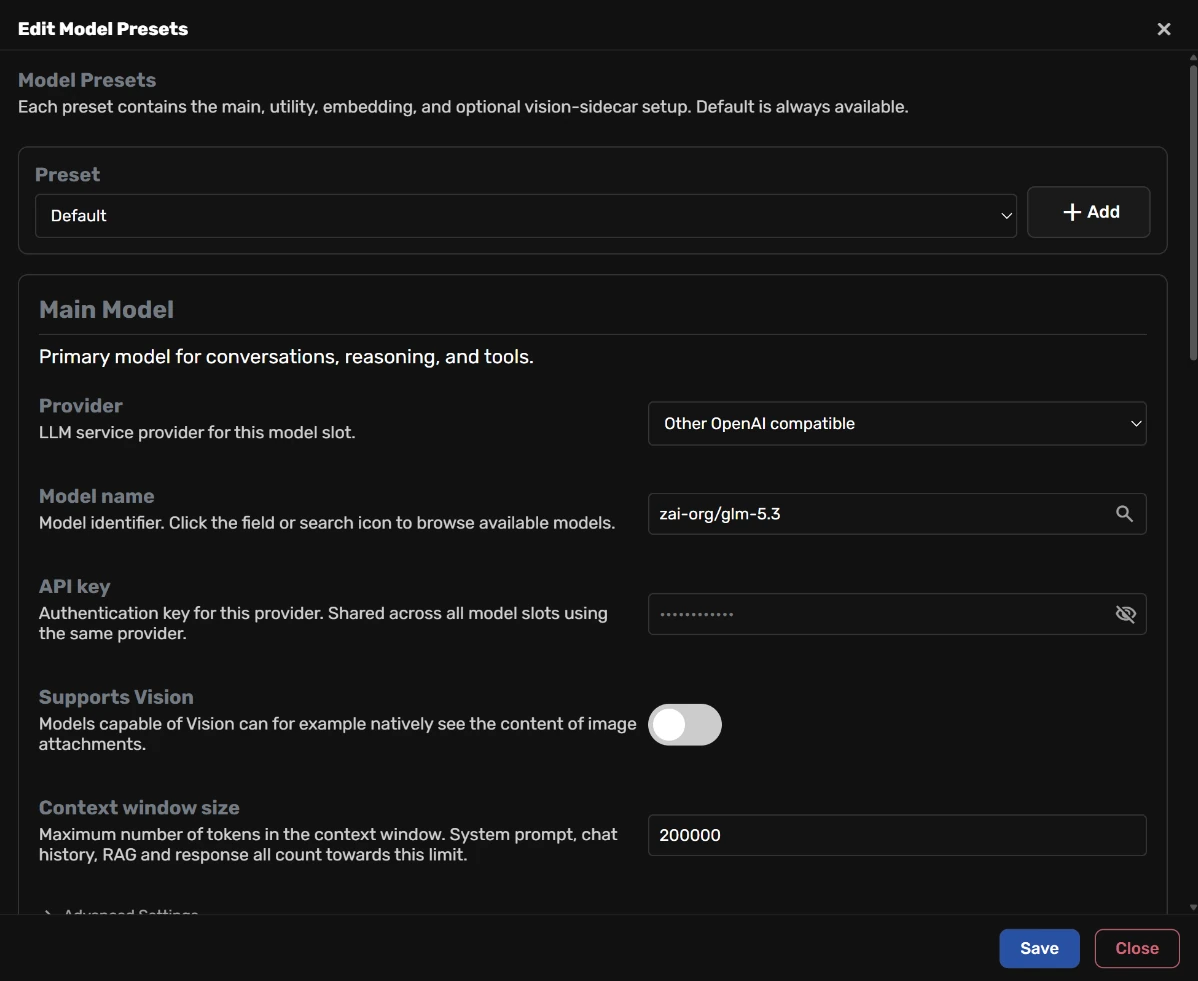
Under **Main Model**, set **Provider** first, then fill in the other fields:
<div class="kd-fields" markdown>
| Field | Value |
|---|---|
| Provider | `Other OpenAI compatible` |
| Model name | `zai-org/glm-5.3`{ .kd-val } |
| API key | `sk-keln-…`{ .kd-key } your key |
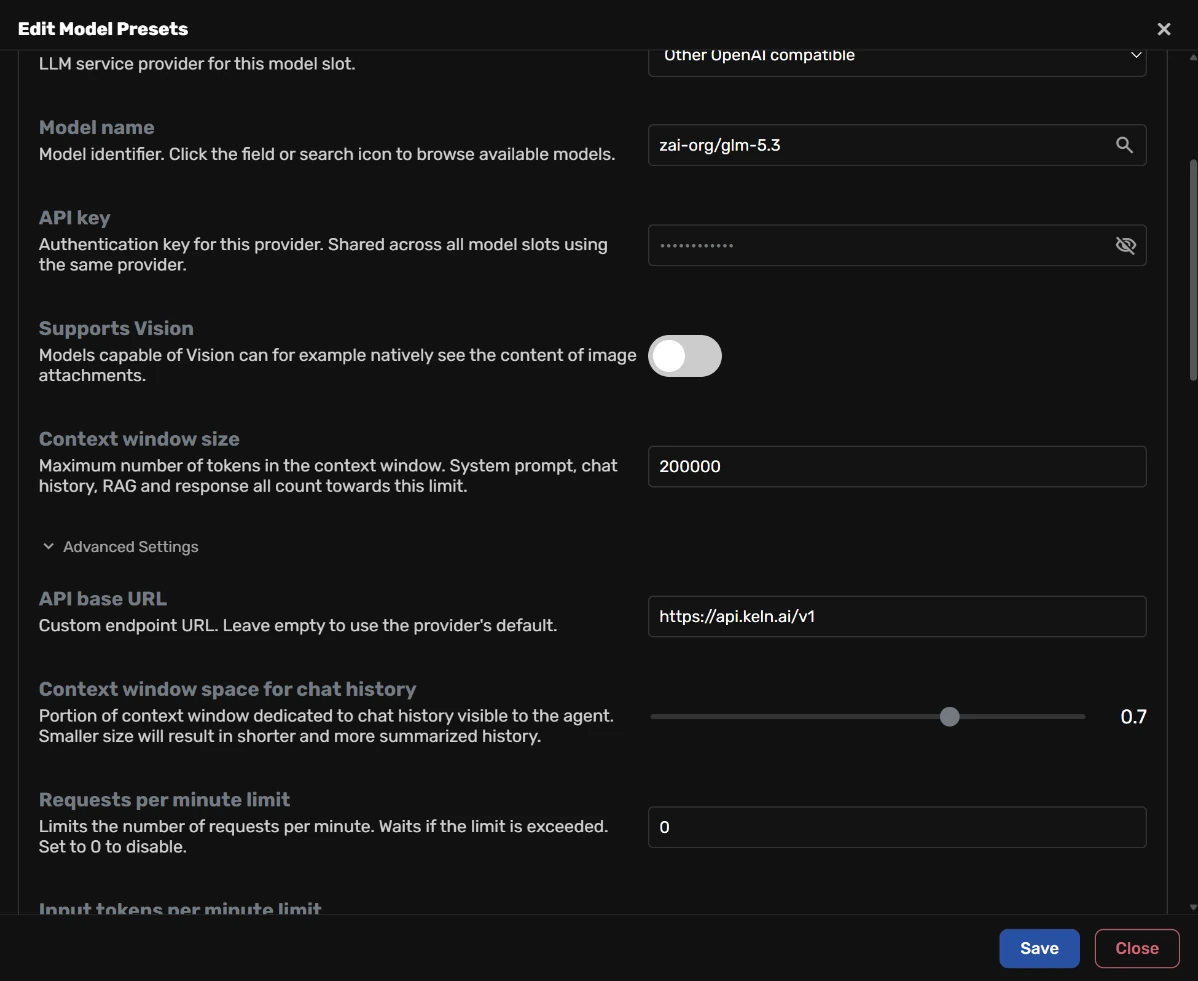
| API base URL | `https://api.keln.ai/v1`{ .kd-val } |
</div>
**API base URL** is under **Advanced Settings**. Agent Zero clears it when you change **Provider**,
so set **Provider** first.
Type the model ID in **Model name** and replace the name that is already there. Agent Zero keeps
the old model name when you change **Provider**.
Turn **Supports Vision** off for a text-only model such as `zai-org/glm-5.3`.
<figure class="kd-figure" markdown>
{ loading=lazy }
</figure>
<figure class="kd-figure" markdown>
{ loading=lazy }
</figure>
### 3. Set the utility model
Agent Zero uses its **Utility Model** for background tasks, such as memory. Under
**Utility Model**, fill in:
<div class="kd-fields" markdown>
| Field | Value |
|---|---|
| Provider | `Other OpenAI compatible` |
| Model name | `zai-org/glm-5.3-flash`{ .kd-val } |
| API base URL | `https://api.keln.ai/v1`{ .kd-val } |
</div>
Agent Zero uses the key from the main model.
### 4. Save
Click **Save** in **Edit Model Presets**, then **Save** in **Settings**. Then start a chat.
Before your first message, add credit under **Billing** → **Add credit**. Keln returns a `402` error if your balance is empty.
## Models
Agent Zero works with all Keln chat models. Type the model ID in **Model name**. See
[Models & pricing](models-pricing.md) for the full list, with each model's context window, image
support and pricing.
## Usage
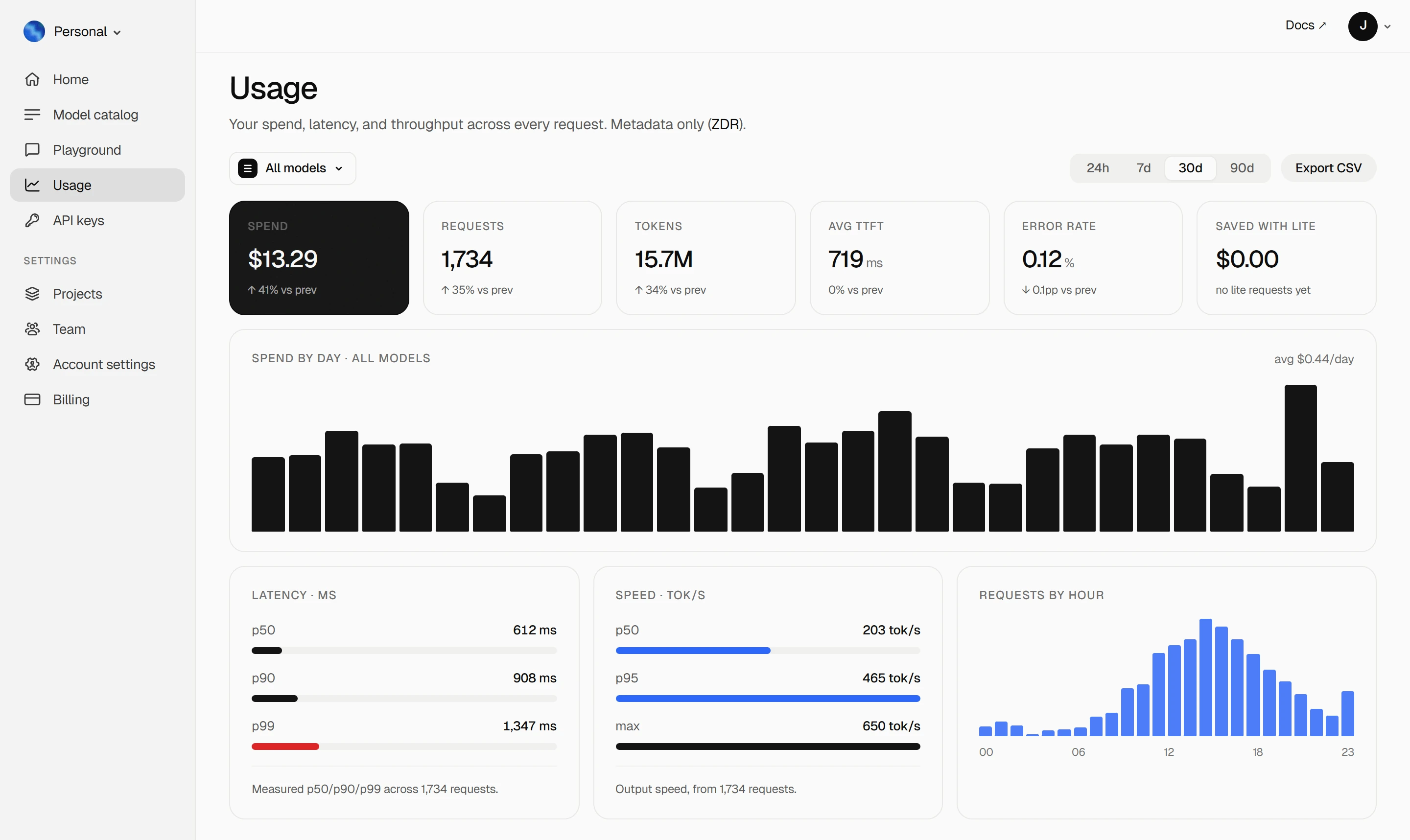
Your Keln **Usage** page shows your spend, tokens, latency and error rate. Keln stores metadata
only ([ZDR](capabilities/privacy.md)).
<figure class="kd-figure kd-figure--bento" markdown>
{ loading=lazy }
</figure>
<div class="kd-figure-cta" markdown>
[Create Keln account](https://app.keln.ai/signup){ .md-button .md-button--primary }
</div>
## Switch back
Open **Edit Presets** and set **Provider** back to the provider you used before, for both
**Main Model** and **Utility Model**. Save in both windows.
## Where to go next
<div class="grid cards" markdown>
- [OpenAI SDK and compatible clients ↗](api/index.md)
Connect Keln to Python, TypeScript, LangChain, Vercel AI SDK, or curl.
- [Anthropic-compatible API ↗](api/anthropic.md)
Use Keln models with the Anthropic SDK and Messages API.
</div>
## Try Keln
Create a Keln account and API key to run open models in Agent Zero.
[Get an API key](https://app.keln.ai/signup){ .md-button .md-button--primary }
[Models & pricing ↗](models-pricing.md){ .md-button }
Agent Zero with Keln
Run Agent Zero on Keln models through its Other OpenAI compatible provider.
What you need to start
Agent Zero running.
A Keln API key. Sign up at app.keln.ai, then open Keys →
Create key.
Connect Agent Zero to Keln
1. Open the model presets
Open Settings → Agent Settings → Models and click Edit Presets.
2. Set the main model
Under Main Model, set Provider first, then fill in the other fields:
Field
Value
Provider
Other OpenAI compatible
Model name
zai-org/glm-5.3
API key
sk-keln-… your key
API base URL
https://api.keln.ai/v1
API base URL is under Advanced Settings. Agent Zero clears it when you change Provider,
so set Provider first.
Type the model ID in Model name and replace the name that is already there. Agent Zero keeps
the old model name when you change Provider.
Turn Supports Vision off for a text-only model such as zai-org/glm-5.3.
3. Set the utility model
Agent Zero uses its Utility Model for background tasks, such as memory. Under
Utility Model, fill in:
Field
Value
Provider
Other OpenAI compatible
Model name
zai-org/glm-5.3-flash
API base URL
https://api.keln.ai/v1
Agent Zero uses the key from the main model.
4. Save
Click Save in Edit Model Presets, then Save in Settings. Then start a chat.
Before your first message, add credit under Billing → Add credit. Keln returns a 402 error if your balance is empty.
Models
Agent Zero works with all Keln chat models. Type the model ID in Model name. See
Models & pricing for the full list, with each model's context window, image
support and pricing.
Usage
Your Keln Usage page shows your spend, tokens, latency and error rate. Keln stores metadata
only (ZDR).