# OpenCode with Keln
Use Keln models in OpenCode by adding Keln to its config file. Pick a model with `/models`.
## What you need to start
- OpenCode 2 installed.
- A Keln API key. Sign up at [app.keln.ai](https://app.keln.ai), then open **Keys** →
**Create key**.
## Connect OpenCode to Keln
### 1. Add Keln to the config file
Open `~/.config/opencode/opencode.jsonc` (create it if it does not exist) and add the Keln
provider. If you already have an `opencode.json` file there, add the block to that file.
```jsonc
{
  "$schema": "https://opencode.ai/config.json",
  "model": "keln/zai-org/glm-5.3",
  "providers": {
    "keln": {
      "name": "Keln",
      "env": ["KELN_API_KEY"],
      "package": "@opencode/ai/providers/openai-compatible",
      "settings": {
        "baseURL": "https://api.keln.ai/v1"
      },
      "models": {
        "zai-org/glm-5.3": {
          "capabilities": { "tools": true, "input": ["text"], "output": ["text"] },
          "limit": { "context": 1048576, "output": 32768 }
        },
        "zai-org/glm-5.3-flash": {
          "capabilities": { "tools": true, "input": ["text", "image"], "output": ["text"] },
          "limit": { "context": 1048576, "output": 32768 }
        },
        "moonshotai/kimi-k3": {
          "capabilities": { "tools": true, "input": ["text", "image"], "output": ["text"] },
          "limit": { "context": 1048576, "output": 32768 }
        },
        "qwen/qwen3.8-2.4t-a95b": {
          "capabilities": { "tools": true, "input": ["text"], "output": ["text"] },
          "limit": { "context": 1000000, "output": 32768 }
        },
        "deepseek-ai/deepseek-v4.1-flash": {
          "capabilities": { "tools": true, "input": ["text", "image"], "output": ["text"] },
          "limit": { "context": 1048576, "output": 32768 }
        }
      }
    }
  }
}
```
The `model` line sets `zai-org/glm-5.3` as the default. Remove it to keep your current default.
To use Keln in one project only, put the same file in the project folder as `opencode.jsonc`.
OpenCode sends no reasoning setting, so Keln runs the model at its deepest thinking level. To
lower it, add a `body` line to the model:
```jsonc
"zai-org/glm-5.3": {
  "body": { "reasoning_effort": "low" },
  "capabilities": { "tools": true, "input": ["text"], "output": ["text"] },
  "limit": { "context": 1048576, "output": 32768 }
}
```
### 2. Set your Keln key
OpenCode reads the key from the `KELN_API_KEY` environment variable:
=== "macOS and Linux"
```bash
export KELN_API_KEY=sk-keln-…
```
=== "Windows PowerShell"
```powershell
$env:KELN_API_KEY = "sk-keln-…"
```
Add the line to your shell profile to keep it for new terminal windows.
If OpenCode was running before you set the key, restart its background service so it reads the
key:
```bash
opencode service restart
```
### 3. Pick a Keln model
Start OpenCode in your project and choose a Keln model:
```text
/models
```
Before your first message, add credit under **Billing** → **Add credit**. Keln returns a `402` error if your balance is empty.
## Models
OpenCode works with all Keln chat models. See [Models & pricing](models-pricing.md) for the full list and pricing.
To add another chat model, add its ID under `models` with its context window from
[`GET /v1/models`](api/models.md).
## Usage
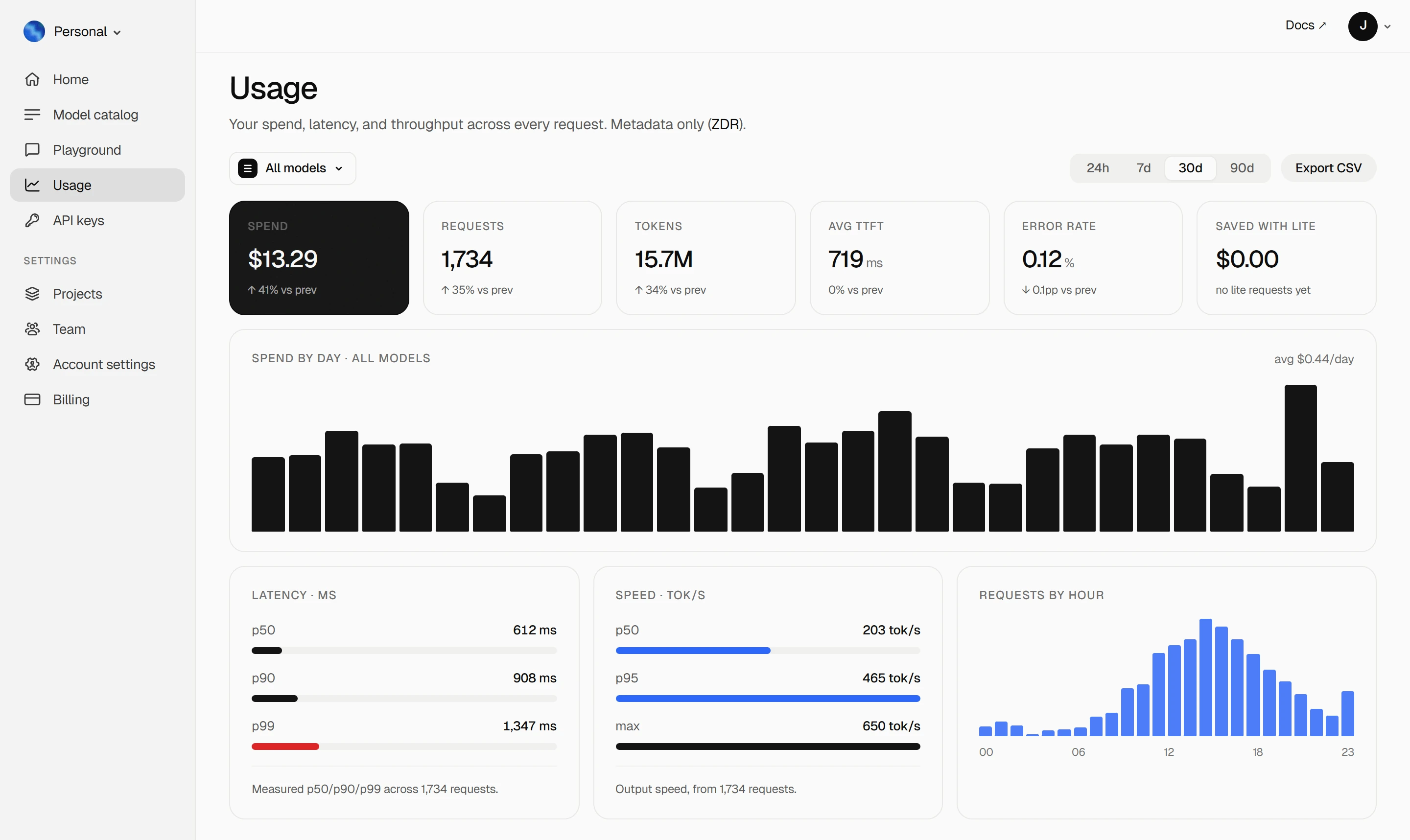
Your Keln **Usage** page shows your spend, tokens, latency and error rate. Keln stores metadata
only ([ZDR](capabilities/privacy.md)).
<figure class="kd-figure kd-figure--bento" markdown>
{ loading=lazy }
</figure>
<div class="kd-figure-cta" markdown>
[Create Keln account](https://app.keln.ai/signup){ .md-button .md-button--primary }
</div>
## Switch back
Run `/models` and pick a model from another provider. To remove Keln, delete the `keln` block and
the `model` line from the config file.
## Where to go next
<div class="grid cards" markdown>
- [OpenAI SDK and compatible clients ↗](api/index.md)
Connect Keln to Python, TypeScript, LangChain, Vercel AI SDK, or curl.
- [Anthropic-compatible API ↗](api/anthropic.md)
Use Keln models with the Anthropic SDK and Messages API.
</div>
## Try Keln
Create a Keln account and API key to run open models in OpenCode.
[Get an API key](https://app.keln.ai/signup){ .md-button .md-button--primary }
[Models & pricing ↗](models-pricing.md){ .md-button }
OpenCode with Keln
Use Keln models in OpenCode by adding Keln to its config file. Pick a model with /models.
What you need to start
OpenCode 2 installed.
A Keln API key. Sign up at app.keln.ai, then open Keys →
Create key.
Connect OpenCode to Keln
1. Add Keln to the config file
Open ~/.config/opencode/opencode.jsonc (create it if it does not exist) and add the Keln
provider. If you already have an opencode.json file there, add the block to that file.