# n8n with Keln
Use Keln models in n8n workflows through one OpenAI credential. Every **OpenAI Chat Model** node
with that credential sends its requests to Keln.
## What you need to start
- n8n, cloud or self-hosted.
- A Keln API key. Sign up at [app.keln.ai](https://app.keln.ai), then open **Keys** →
**Create key**.
## Connect n8n to Keln
### 1. Create the Keln credential
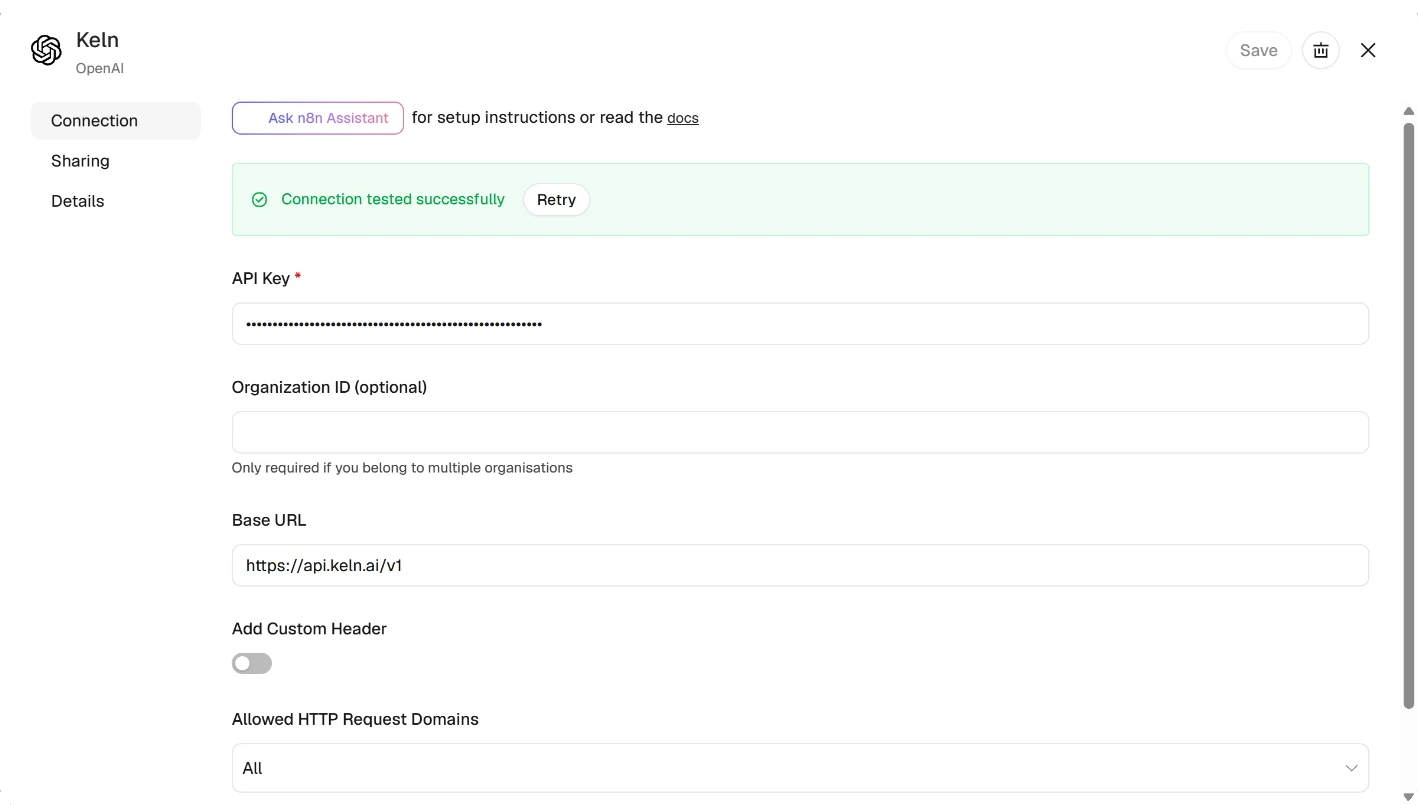
In n8n, click **+** → **New credential**, search for **OpenAI** and click **Continue**. Fill in:
<div class="kd-fields" markdown>
| Field | Value |
|---|---|
| API Key | `sk-keln-…`{ .kd-key } your key |
| Organization ID | leave empty |
| Base URL | `https://api.keln.ai/v1`{ .kd-val } |
</div>
Rename the credential to `Keln` and save it.
n8n shows **Connection tested successfully** for any key. If your first run returns a `401` error,
check the key.
<figure class="kd-figure" markdown>
{ loading=lazy }
</figure>
### 2. Add an OpenAI Chat Model node
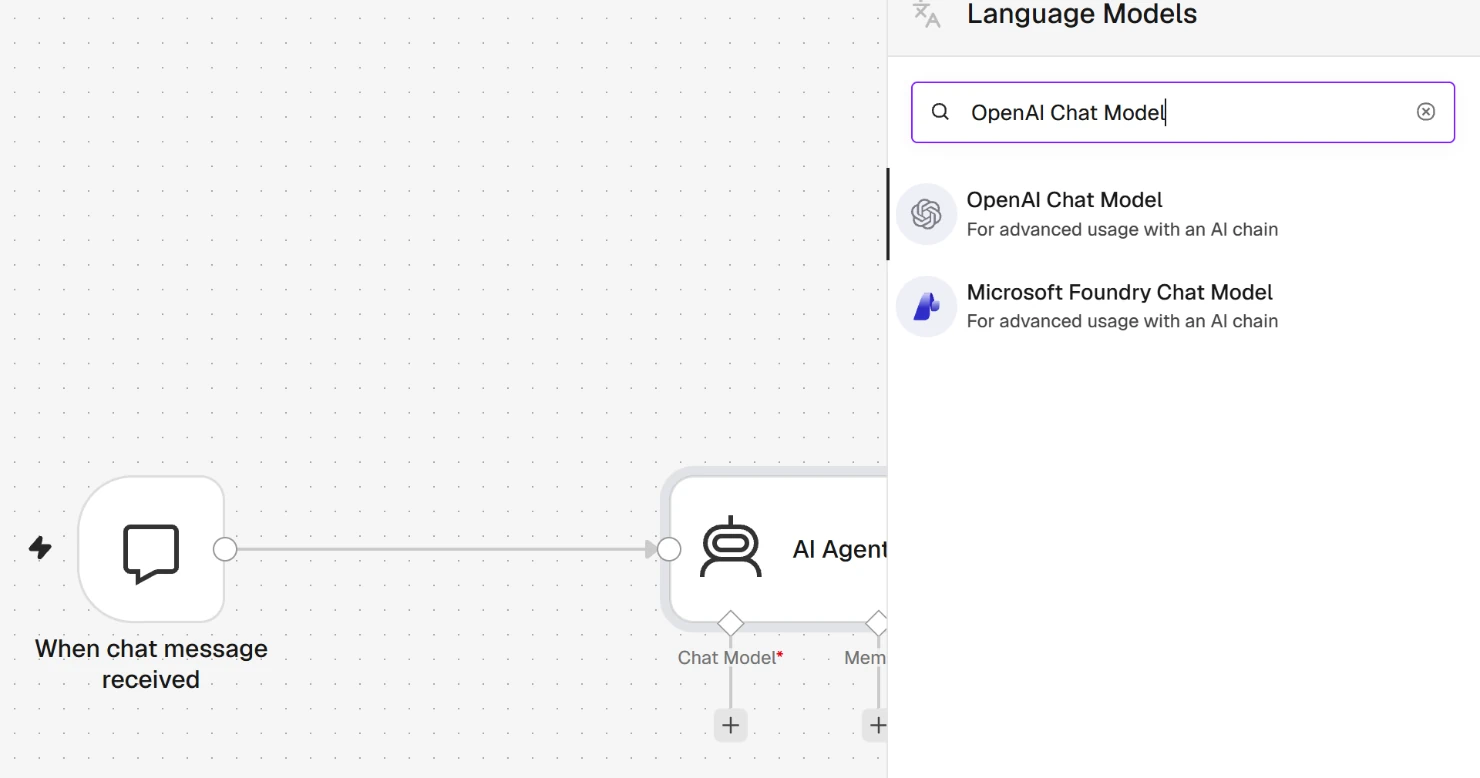
In your workflow, add an **AI Agent** or **Basic LLM Chain** node, then attach an
**OpenAI Chat Model** node as its model. In **Credential**, select **Keln**.
<figure class="kd-figure" markdown>
{ loading=lazy }
</figure>
### 3. Choose a Keln model
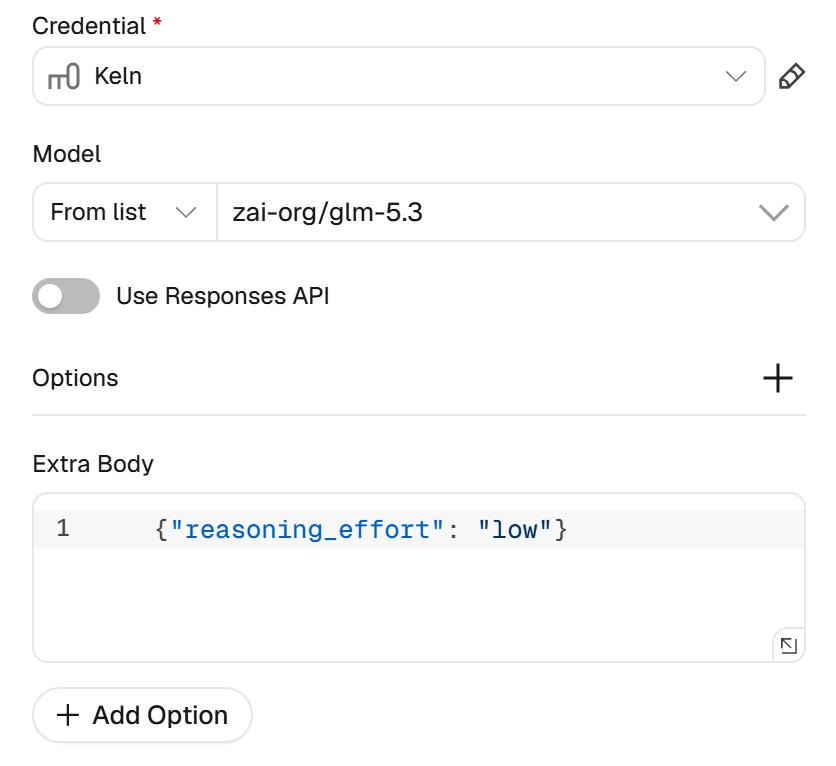
**Model** starts on an OpenAI model. Open the list, which n8n loads from Keln, and choose a Keln
model, for example `zai-org/glm-5.3`. If the model is missing from the list, switch **Model** to
**By ID** and type the ID.
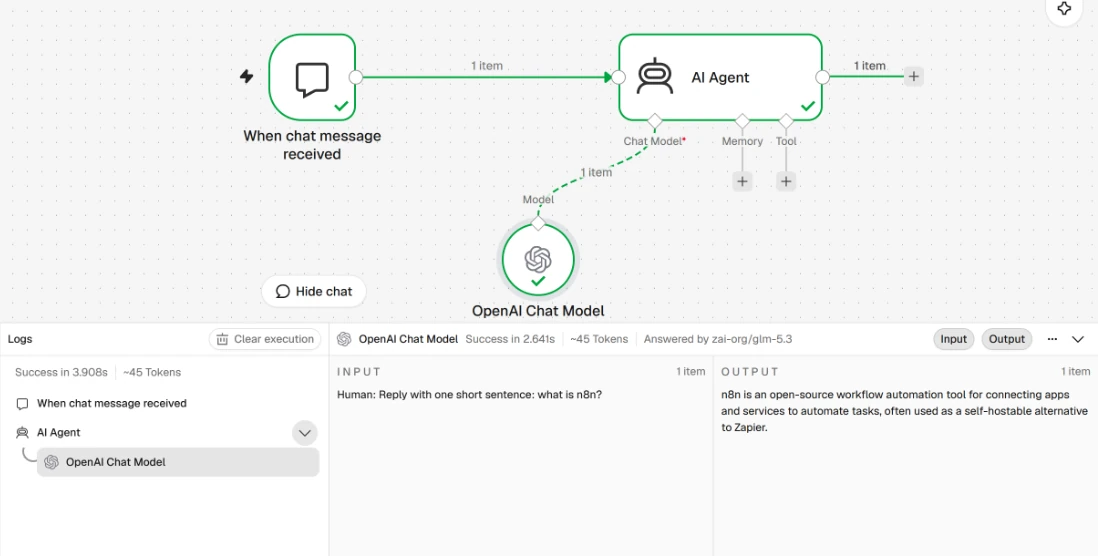
Turn **Use Responses API** off. n8n then shows the exact token count of each run.
n8n sends no reasoning setting, so Keln runs the model at its deepest thinking level. To lower it,
add the **Extra Body** option and enter `{"reasoning_effort": "low"}`.
<figure class="kd-figure kd-figure--narrow" markdown>
{ loading=lazy }
</figure>
### 4. Run the workflow
Click **Open chat** and send a message.
<figure class="kd-figure" markdown>
{ loading=lazy }
</figure>
Before your first run, add credit under **Billing** → **Add credit**. Keln returns a `402` error if your balance is empty.
## Models
n8n works with all Keln chat models. See [Models & pricing](models-pricing.md) for the full list and pricing.
The Keln list also holds models that do not chat: decision, speech, transcription, embedding and
rerank models. These do not work in the **OpenAI Chat Model** node.
## Usage
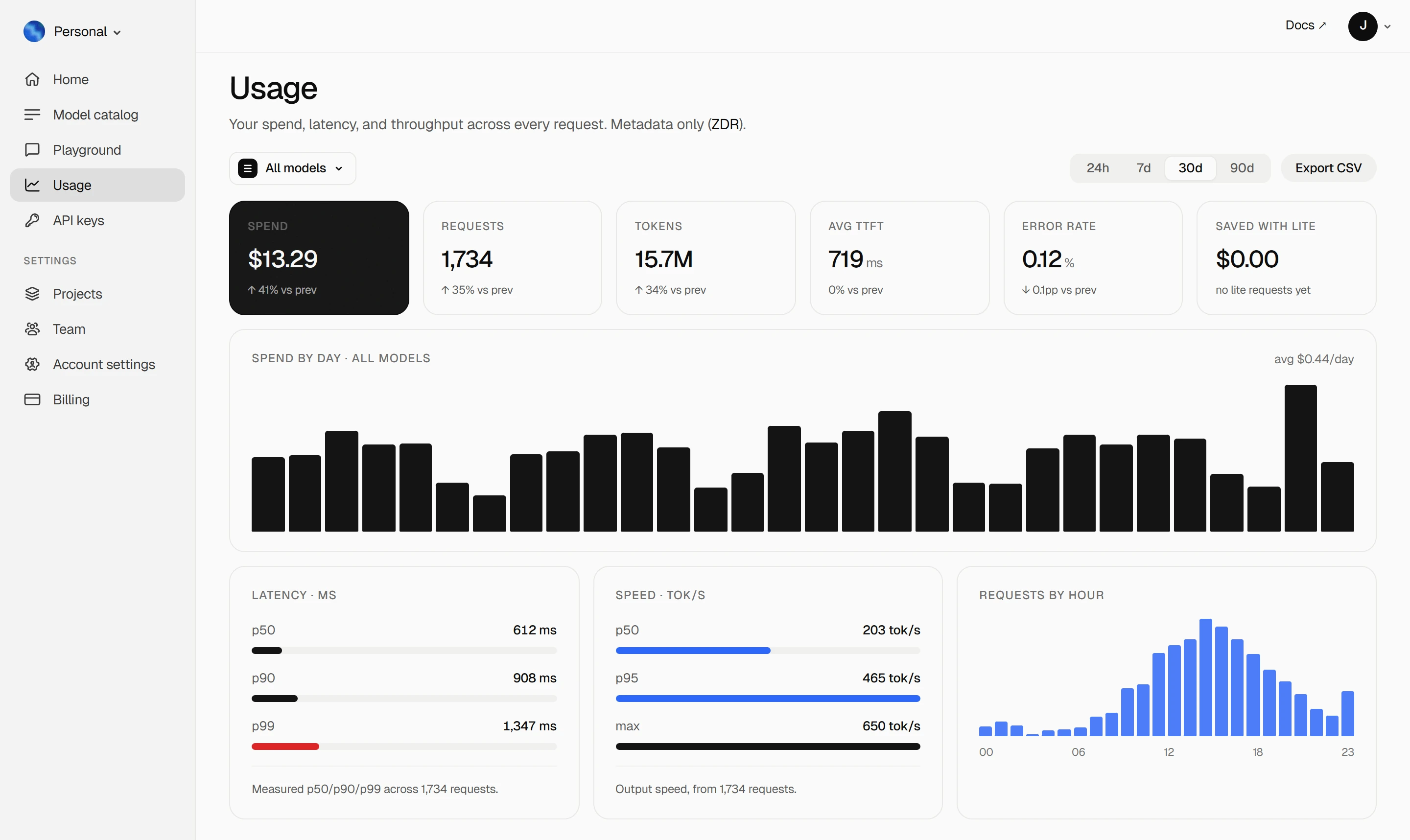
Your Keln **Usage** page shows your spend, tokens, latency and error rate. Keln stores metadata
only ([ZDR](capabilities/privacy.md)).
<figure class="kd-figure kd-figure--bento" markdown>
{ loading=lazy }
</figure>
<div class="kd-figure-cta" markdown>
[Create Keln account](https://app.keln.ai/signup){ .md-button .md-button--primary }
</div>
## Where to go next
<div class="grid cards" markdown>
- [OpenAI SDK and compatible clients ↗](api/index.md)
Connect Keln to Python, TypeScript, LangChain, Vercel AI SDK, or curl.
- [Anthropic-compatible API ↗](api/anthropic.md)
Use Keln models with the Anthropic SDK and Messages API.
</div>
## Try Keln
Create a Keln account and API key to run open models in n8n.
[Get an API key](https://app.keln.ai/signup){ .md-button .md-button--primary }
[Models & pricing ↗](models-pricing.md){ .md-button }
n8n with Keln
Use Keln models in n8n workflows through one OpenAI credential. Every OpenAI Chat Model node
with that credential sends its requests to Keln.
What you need to start
n8n, cloud or self-hosted.
A Keln API key. Sign up at app.keln.ai, then open Keys →
Create key.
Connect n8n to Keln
1. Create the Keln credential
In n8n, click + → New credential, search for OpenAI and click Continue. Fill in:
Field
Value
API Key
sk-keln-… your key
Organization ID
leave empty
Base URL
https://api.keln.ai/v1
Rename the credential to Keln and save it.
n8n shows Connection tested successfully for any key. If your first run returns a 401 error,
check the key.
2. Add an OpenAI Chat Model node
In your workflow, add an AI Agent or Basic LLM Chain node, then attach an
OpenAI Chat Model node as its model. In Credential, select Keln.
3. Choose a Keln model
Model starts on an OpenAI model. Open the list, which n8n loads from Keln, and choose a Keln
model, for example zai-org/glm-5.3. If the model is missing from the list, switch Model to
By ID and type the ID.
Turn Use Responses API off. n8n then shows the exact token count of each run.
n8n sends no reasoning setting, so Keln runs the model at its deepest thinking level. To lower it,
add the Extra Body option and enter {"reasoning_effort": "low"}.
4. Run the workflow
Click Open chat and send a message.
Before your first run, add credit under Billing → Add credit. Keln returns a 402 error if your balance is empty.
Models
n8n works with all Keln chat models. See Models & pricing for the full list and pricing.
The Keln list also holds models that do not chat: decision, speech, transcription, embedding and
rerank models. These do not work in the OpenAI Chat Model node.
Usage
Your Keln Usage page shows your spend, tokens, latency and error rate. Keln stores metadata
only (ZDR).